Should your machinery animation use a cutaway or an exploded view? Write down the question the audience needs answered first. “What happens inside the housing?” and “How do the components fit together?” call for different views. Putting both answers in one image can make the essential detail harder to see.
One pump, three different questions
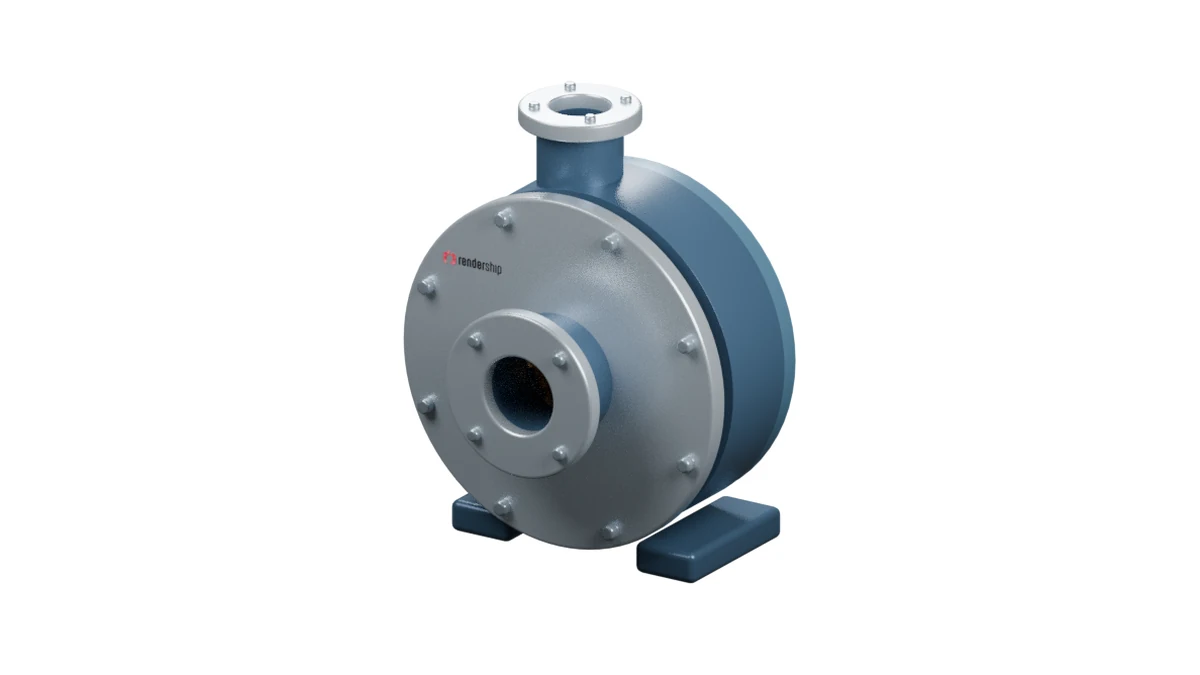
Assembled view: The buyer can recognise the pump and locate the front-facing inlet and upward-facing discharge. Start here if the audience has never seen the equipment. If you only need to explain its exterior, this view may be enough.
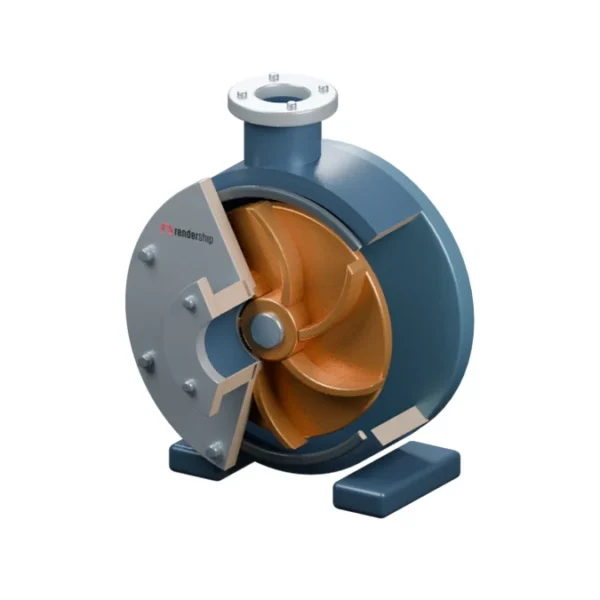
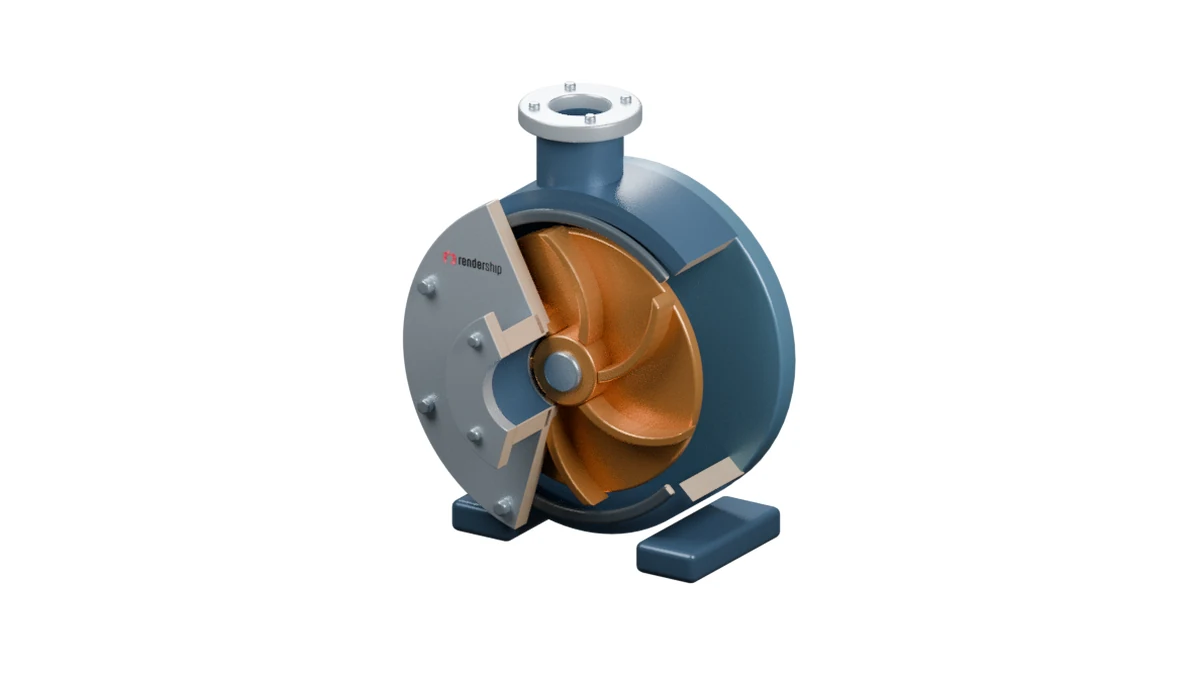
Cutaway: The components stay in place while part of the housing opens to view. This exposes the bronze impeller vanes and the central shaft hub. Use the view as a starting point for discussing a flow path. Choose it when your sales team needs to explain the relationship between the housing and the impeller. It does not simulate flow or establish a flow rate, pressure or performance figure.
Exploded view: The parts separate while keeping their relative arrangement clear. The front cover, dark gasket ring, bronze impeller and rear housing line up along the same axis. The gaps make the layout easier to read; they are not physical clearances, an assembly sequence or service instructions.
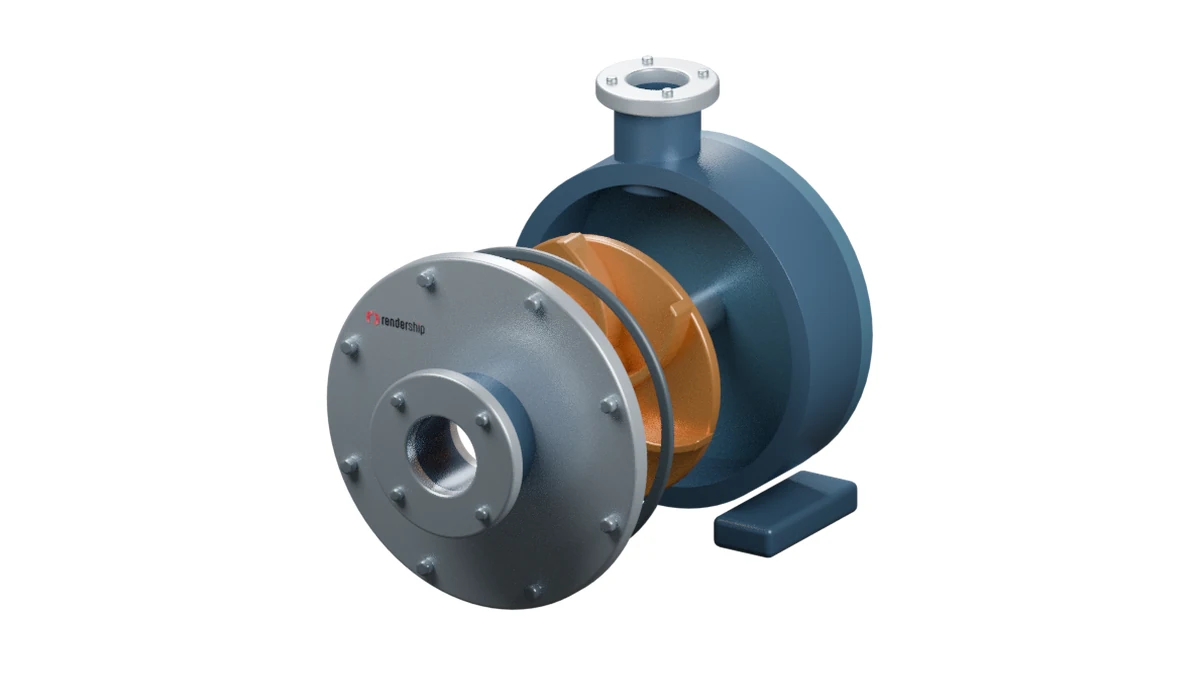
Image note: The same illustrative pump model appears in all three views. It is not a client project, performance test or assembly instruction.
Make three decisions before you request a quote
- Choose the audience. Do sales staff need to explain the inside, or do technical reviewers need to identify the components? Pick one primary question.
- Test the frame. Show the three draft views from a consistent angle with no narration. Ask a viewer to point to the part or relationship you need them to understand. Use the simplest view that makes the answer clear.
- Choose a still or a transition. If one frame answers the question, you may not need a second animation. If both questions matter, establish the exterior first and show the cutaway and component relationships separately. Ask your technical team to approve the visible geometry and labels.
For help preparing a brief, read our product assembly animation guide. To discuss which view works for your equipment, explore Rendership’s 3D product animation service.