Installation and assembly animation can help manufacturers explain complex products to dealers and technicians. Machines, furniture and industrial equipment may involve sequences that are difficult to communicate through a single drawing. A carefully reviewed 3D animation can show those sequences step by step. It supports, rather than replaces, approved instructions, safety documentation and appropriate training.
What is installation and assembly animation, and why does it matter?
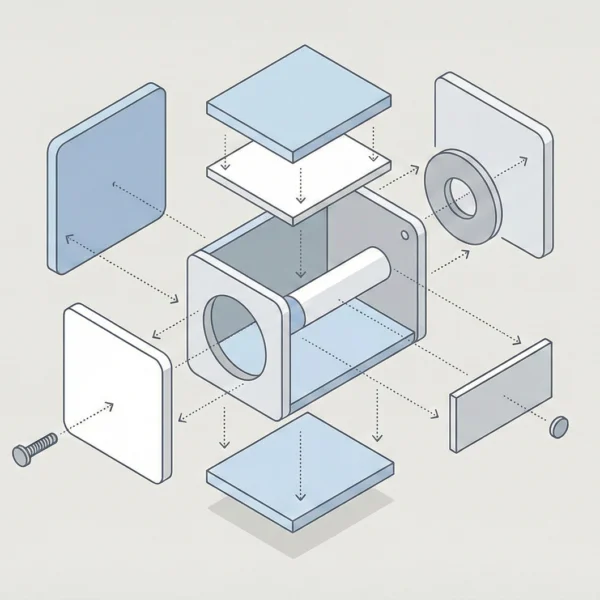
Installation and assembly animations are digital three-dimensional videos showing how a product’s parts fit together. CAD data can provide a starting point, while controlled lighting and camera positions help make important details visible. Check the model, component identification and sequence against the manufacturer’s current technical information.
These videos can also support after-sales service. A dealer can replay a specific step while consulting the approved procedure. Technical values, such as a fastener’s tightening torque, must come from the manufacturer. The responsible technical team must approve them. Never guess these values for an animation. Any effect on product life or service costs depends on correct design, installation and use, not on the video alone.
Where digital guidance complements printed manuals
Moving images can help explain motion and relationships that are difficult to show on a printed page. You can revise digital material when a product changes, although the scope of the change determines the production effort. Written manuals remain important for detailed specifications, warnings, records and circumstances where video is unavailable.
Dealers may access approved videos on a tablet or phone, including through a QR code linked to the correct product version. This can reduce reliance on carrying additional printed material. Plan access, connectivity and version control around the working environment. Technicians must be able to find the right instructions safely when they need them.
Addressing installation errors and product returns
Incorrect assembly can damage a product and lead to service requests or returns. Consistent visual guidance can help explain the manufacturer’s intended method to different dealers. It does not guarantee error-free installation. Assess its effectiveness alongside training, product design and field feedback.
For a complex machine, part orientation may be especially important. Colour highlights, close views and approved warning symbols can draw attention to critical steps. These techniques help communicate risk, but they do not eliminate human error or substitute for technical competence, isolation procedures or other safety requirements.
Supporting the after-sales team
If the support team repeatedly answers the same installation questions, a clearly organised video can provide a reusable explanation. Dealers can revisit an individual step before asking for further help. This may free some support time for more complex issues. However, assistance should remain available when the procedure is unclear or the product differs from the illustration.
Hosting approved material on a website or another appropriate video platform can make it available across time zones. Plan for language, access and product-version management. Also distinguish public information from restricted technical material. Do not assume lower staffing or support costs without evidence.
Communicating across languages in export markets
Animation can make some physical actions easier to communicate across language barriers. Views of part orientation and assembly order may support a shared understanding among international dealers. However, visual material is not universally unambiguous: warnings, technical terms, units and instructions may still require translation and local review.
Icons, numbers and motion can complement translated text or narration. Check these elements with the intended audience. Do not treat them as a way to remove all translation costs or misunderstanding. An action may look obvious to the production team, yet technicians can interpret it differently.
Presenting a consistent brand
Well-produced training material can give dealers a clearer, more consistent experience of a manufacturer’s products and support. Colours, typography and presentation can follow the brand identity without distracting from technical clarity. Contact Rendership to discuss the intended audience and material you already have.
Selected sequences may also help explain assembly to prospective customers, including in suitable DIY contexts. Marketing excerpts should remain accurate and must not hide important complexity or safety requirements. A clear demonstration can support an informed buying decision; it is not a guarantee of sales.
Using animation in training
Dealer and technician training can involve travel, accommodation and time away from normal work. Animation can support remote preparation or refresher learning, allowing people to review a sequence at their own pace. Whether it can replace any part of in-person training depends on the task, risks and required competence.
Viewers can pause or replay a video to revisit a less familiar procedure. This makes it a useful reference for continuing learning. Maintenance demonstrations must use current, approved procedures and should not encourage untrained viewers to carry out hazardous work.
Making complex processes easier to see
Products with many internal components can be difficult to explain from the outside. A transparent-shell or “ghost” view can reveal how components relate to one another. Showing both an action and its purpose may help a trained viewer understand the procedure.
Cutaway views can similarly expose details hidden inside an assembled product. An animation may illustrate fluid or gas paths, but an illustrative motion graphic is not a validated engineering simulation. The manufacturer should confirm what the depiction represents and approve any simplifications. These techniques complement the views available from a physical camera.
Planning an assembly animation with Rendership
Rendership can discuss how your engineering references and available CAD files can support an assembly presentation. The process should identify the target audience, product version, component list, approved sequence, camera views, labels and required formats. Consider brand colours and presentation alongside technical readability.
Before production, agree who will check the model and approve the technical content. CAD availability does not by itself guarantee an exact or error-free result. Review stages help identify discrepancies before delivery.
An assembly animation is most useful when it addresses a defined communication or training need. Discuss the scope, references and desired outcomes with Rendership, then agree the work and review requirements. See the 3D product animation service and the product assembly animation preparation guide for related information.