An automotive digital catalogue can bring product images and technical information into a shared presentation. For component manufacturers, the aim is to help buyers identify a part and understand its relevant features. Clear visuals support that task, but they do not replace accurate part data.
Start by defining what the catalogue must do. A downloadable PDF, a website catalogue and an interactive 3D viewer are different deliverables. Stock information, account access and system integration add further requirements. They should be discussed explicitly rather than assumed to be included with the images.

Present components with useful views
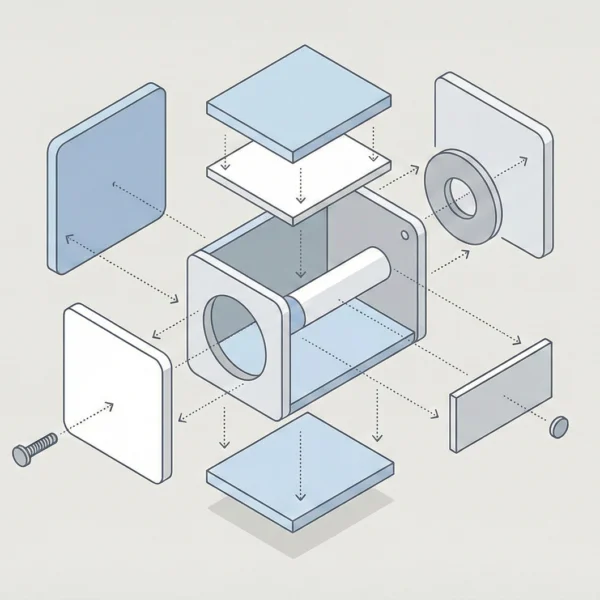
A planned set of 3D views can explain a component’s form and important details. A close-up can show a connection or surface feature. A cutaway or transparent view can help illustrate internal relationships when the model and technical review support it.
Choose the views around the buyer’s questions. Avoid showing decorative detail at the expense of identifying information. Part numbers, dimensions and other approved specifications should remain clear alongside the visual.
Separate visual presentation from technical approval
A realistic image does not prove that a part fits a particular vehicle or meets a safety requirement. Compatibility and product specifications need confirmation from the appropriate source. A render should not imply a performance claim that has not been verified.
Agree who reviews the geometry, labels and technical details. Establish a versioning process so the approved image and product information refer to the same revision.
Choose a catalogue format that suits the audience
A PDF may be sufficient for a fixed product range and a straightforward sales presentation. A website can support a different browsing experience. An interactive viewer may let a user rotate a model, but it requires suitable assets and an implementation that works on the intended devices.
Language versions also need planning. Translate the descriptive text while keeping identifiers and technical meaning consistent. Check layouts and labels after translation, especially where a longer term changes the space required.
Define updates and integration separately
Live stock, ERP or CRM connections are software integration requirements. They are not automatic features of a 3D visualisation project. The source system, access permissions, data mapping and update behaviour need to be assessed before any integration commitment.
Similarly, a new product does not appear in a catalogue without a defined publishing process. Agree who supplies and approves the data, who updates the presentation and how errors are corrected. Automation can reduce some manual steps, but it does not eliminate every error.
Use measurement carefully
A digital catalogue may support measurement of how people use its pages or products, depending on the platform and permitted setup. Define the questions you want to answer before choosing measurement features. Consider the handling of visitor data as part of that decision.
Do not assume that a frequently viewed part is necessarily the strongest seller. Traffic sources, availability and the buying process also affect outcomes. Visual quality is one part of the wider catalogue experience.
Prepare a component visualisation brief
- List the components and approved identifiers.
- Provide available CAD files, dimensions and finish references.
- Explain the views and details buyers need to understand.
- Specify the delivery format and intended devices or channels.
- Identify any interactive, language or integration requirements separately.
Rendership’s 3D product visualisation service can form the visual part of a catalogue brief. Share the product information and intended use so the required assets and scope can be discussed. Platform development or integration should only be included after its feasibility and responsibilities are confirmed.