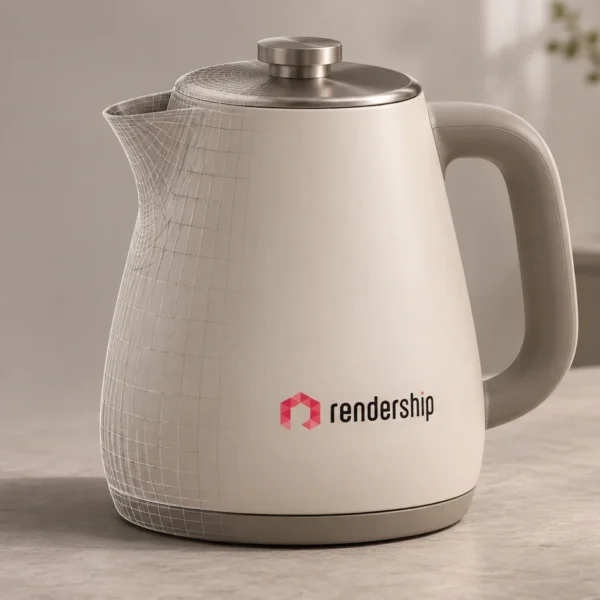
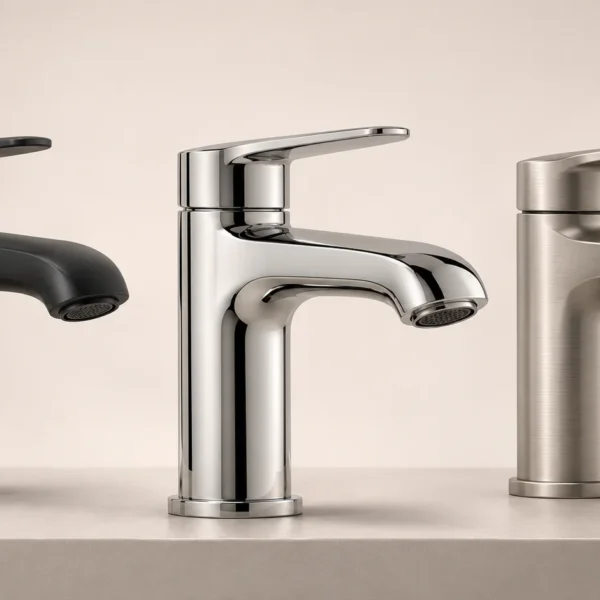
What does rendering mean?

Rendering is the process of calculating an image from a digital scene or model. In 3D work, the scene can include geometry, materials, lights and cameras. The result may be a still image or a sequence of frames used in an animation.
Rendering is used in architectural visualisation, animation, visual effects, video games, simulation and design presentation. Techniques vary with the project and the kind of output needed. The process can support communication and design review, but its effect on cost or efficiency depends on the workflow.
Two broad approaches are real-time rendering and pre-rendered, or offline, rendering. The distinction concerns when and how quickly the images are calculated, rather than a universal divide between low and high quality.
Real-time rendering: Images are generated quickly enough to respond to interaction, as in games and interactive applications. Scene optimisation and graphics hardware help maintain a suitable frame rate.
Pre-rendered or offline rendering: Images are calculated before playback or delivery. More calculation time may be allocated to each frame when the project needs it. Depending on the rendering engine and configuration, CPUs, GPUs or both can be used.
| Aspect | Real-time rendering | Pre-rendered rendering |
|---|---|---|
| Timing | Calculated to support immediate interaction. | Calculated in advance of viewing or playback. |
| Quality priorities | Balances detail and visual quality with frame-rate requirements. | Can allocate more processing time per frame, within the production budget. |
| Typical uses | Games, interactive demonstrations and some simulations. | Delivered still images, film frames and many architectural presentations. |
| Hardware | Often relies heavily on the GPU. | May use CPUs, GPUs or both, depending on the renderer. |
What is a 3D render used for?
A render turns a three-dimensional scene into a view that can be shared and understood without opening the modelling software. A digital model describes the object’s shape and structure; materials, lighting and camera choices determine how that model appears in the image.
The renderer calculates the scene’s visual appearance, including effects such as reflections, refraction and shadows according to the chosen techniques and settings. The result may aim for photographic realism or an intentionally stylised presentation.
What does it mean to render a scene?

To render a scene is to calculate its output image or frames. Textures, materials and lighting are prepared before that calculation. Rendering does not automatically correct inaccurate geometry or missing product information.
The main stages of 3D rendering
A typical workflow includes preparing a model, adding textures and materials, arranging lighting, choosing camera views and calculating the output. Reviews and post-production help bring the result into line with the brief.
Common industry uses
Automotive design, architecture, consumer electronics, product development and entertainment all use rendered imagery. The presentation may explain a proposed design, show a product range or create an imaginary environment.
A marketing render is not the same as engineering validation or a tested simulation. The intended purpose should be clear to the viewer.
Visualisation and marketing
Rendered images can give colleagues, customers and other stakeholders a clearer way to discuss a design. The same assets may support marketing material if they are suitable for the required resolution, format and product version.
Presenting a design attractively should not mean concealing limitations or implying unverified performance. Match the image to approved product information.
What advantages can rendering offer?
A digital scene can make detailed presentation images possible before a physical sample or completed building is available. It can also support comparison of visual options without constructing each option physically.
This may reduce some presentation-related work or physical mock-ups, but it does not replace prototypes and tests needed to assess function, safety or manufacturing. Savings and faster decisions depend on the particular project.
How does 3D rendering work?

The workflow combines geometry, surfaces, lighting and camera setup to produce a still image or animation. Each stage influences the final result. The following breakdown explains the main tasks.
1. 3D modelling
Creation: Build or prepare the object’s shape and structure in suitable software. Existing CAD information may help, but it may need conversion, cleanup or additional detail.
Detail: Add the geometry needed for the intended views. Surface appearance is then developed through materials and textures. Review proportions and features against the available references.
2. Texturing
Mapping: Use images or procedural textures to describe surface colour, patterns and other material properties. Depending on the workflow, maps may control roughness, reflectivity, bump or related effects.
UV unwrapping: A model’s surface can be represented in two dimensions so that an image texture is placed appropriately. The mapping needs to avoid unwanted distortion or visible seams in important areas.
3. Lighting
Setup: Arrange suitable virtual light sources and environmental illumination. Different sources and positions reveal the form and surface in different ways.
Adjustment: Refine intensity, colour and shadows to match the intended scene and explain the product clearly. Lighting should not make an unavailable finish appear to be part of the product.
4. Camera configuration
Position: Place the virtual camera to show the relevant features. A useful view answers a specific question about the object rather than merely filling the frame.
Settings: Adjust framing, focal length, perspective and, where appropriate, depth of field. These choices affect the viewer’s sense of scale and the readability of details.
5. Rendering
Calculation: The rendering engine calculates the appearance of the scene using the selected settings, materials and lighting. Reflections, refraction and shadows are among the effects that may be represented.
Output: The process produces a still image or a sequence of frames. Resolution, noise, frame count and other quality requirements affect calculation time and delivery needs.
6. Post-production
Editing: Colour correction, compositing and other finishing work may be used to prepare the output for its intended channel.
Final checks: Inspect details, consistency, labels, formats and the brief’s requirements before delivery. Finishing should improve clarity without misrepresenting the product.
The tools, production skill and project requirements all influence the complexity and quality of the result. A polished image is not evidence that the underlying design has passed technical testing.
Examples of rendering across industries
The following categories illustrate common presentation needs. The accompanying images are retained from the original article; they are not evidence of a client relationship or a claim about any named company’s production pipeline.
1. Automotive

Automotive imagery can explain a vehicle’s shape, styling, finishes and selected features. Digital views may support design discussion or marketing before every physical variant is available.
A vehicle configurator or interactive demonstration requires additional software and asset preparation beyond producing still renders. Technical specifications and available configurations must remain accurate.
2. Architecture and real estate

Architectural rendering can communicate spatial arrangements and proposed buildings before construction. Interior views may help clients discuss material combinations, furniture placement and lighting intentions.
These presentations support discussion; they do not replace drawings, measured information, approvals or a clear explanation of what is proposed rather than already built.
3. Electronic products

Renders can show the form and details of devices such as phones, computers, televisions, cameras and consoles. Controlled views may be useful for product launches, catalogues and online listings.
Surface finishes, ports, controls and screen content should reflect the approved version. A visually striking image should not imply capabilities the device does not have.
4. Entertainment and video games

Animation and visual-effects workflows use rendering to turn digital characters, objects and environments into frames. Lighting and surface detail help establish the intended visual style.
Games and other interactive experiences commonly use real-time rendering so that the view responds to the user. The performance requirements differ from those of a delivered video.
5. Product development and manufacturing

Digital presentation can help teams discuss a concept, material or colour option before physical production. This is useful across products such as footwear, clothing and household appliances.
A render can also explain a product’s appearance or illustrate its operation. It must not be mistaken for proof of manufacturability, durability or measured performance; those questions require the appropriate engineering work.
Benefits of 3D rendering
1. Realism and detail
Carefully prepared geometry, materials and lighting can make design details easier to see. This helps viewers discuss texture, form and surface appearance. Accuracy still depends on the source information and review process.
2. Digital presentation before physical prototypes
A digital scene can support visual exploration before physical mock-ups are made. It may reduce some iterations used only to compare appearance, while functional prototypes and tests remain necessary where the project requires them.
3. Clearer communication
A shared image can make a concept easier to discuss among designers, clients and other stakeholders. Label important assumptions and proposed elements so that visual clarity does not create false certainty.
4. Flexibility in design iterations
Colours, materials, layouts and camera positions can be changed in an existing scene. The effort varies: some adjustments are straightforward, while others require remodelling, new references or further rendering and review.
5. Presentation and marketing
Rendered assets may be prepared for websites, brochures, advertisements and presentations. Choosing the right viewpoint and format can improve the clarity of the message. Commercial results depend on the broader campaign and product, not the production method alone.
6. Time efficiency
Visualising a design before manufacture or construction can allow earlier discussion. Reuse of approved assets may also help with later deliverables. Modelling, calculation time and approvals must still be included in a realistic schedule.
Conclusion
Rendering connects digital design work with images and animation that other people can review. It supports a wide range of creative and practical communication needs, from product details to architectural proposals.
Define the purpose, references and accuracy requirements before production. Contact Rendership to discuss a suitable visual scope rather than assuming the same process or budget fits every project.
Frequently asked questions
1. How does rendering differ from modelling?
Modelling defines the object’s geometry and structure. Rendering calculates a view of a scene containing that model, using the prepared materials, lighting and camera. They are related stages, not interchangeable terms.
2. How is rendering used in different industries?
It is used to present vehicles, buildings, consumer products and digital environments, among other subjects. The purpose may be design review, explanation, marketing or entertainment, and the workflow should match that purpose.
3. What are the main benefits?
Potential benefits include detailed presentation, easier comparison of visual options, reusable assets and clearer communication. Whether these save time or money depends on the initial preparation and required revisions.
4. How do lighting and texturing affect quality?
Lighting helps reveal form, depth and atmosphere. Textures and materials describe colour and surface properties. Together they strongly influence appearance, but they cannot compensate for an inaccurate model or insufficient references.
5. Can rendering save time and money during development?
It can reduce some visual mock-ups or repeat presentation work, particularly when approved assets are reused. It does not eliminate modelling costs, reviews, physical testing or engineering requirements. Evaluate the complete scope before estimating a saving.
6. What kinds of tools are used?
Tools range from general-purpose modelling and rendering applications to specialist software for particular industries. The choice depends on input files, required output, team skills and the wider workflow rather than one universal best application.
For product-image planning, explore our 3D product visualisation service.