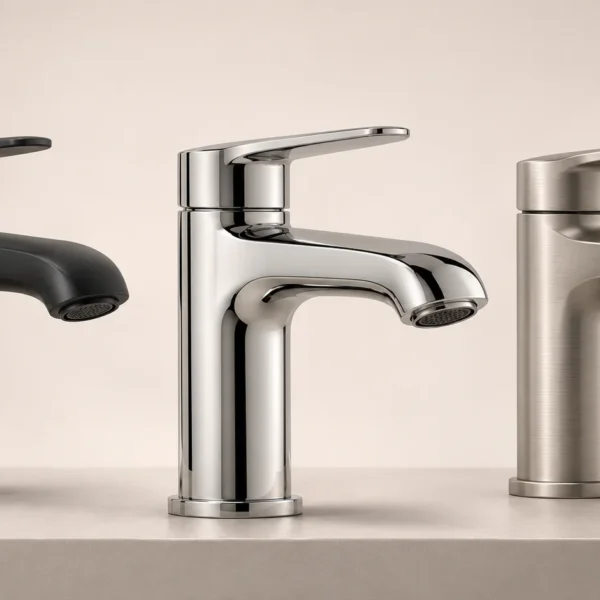
3D visualisation is the process of turning a digital three-dimensional model into images or animation that communicate an idea. The subject can be an existing product, a proposed design or a concept that would be difficult to explain with words alone. The aim is not simply to make a striking picture: it is to help the viewer understand what matters.
For a product presentation, this might mean showing the shape of a component, the finish of a surface or how several parts fit together. A useful visual answers a question for its audience. It can explain a detail, compare alternatives or make the relationship between objects easier to follow.
What does 3D visualisation communicate?
Visual communication includes diagrams, drawings, photographs and moving images. Three-dimensional computer graphics add a digital scene in which objects, cameras, materials and lighting can be arranged. The resulting view can be rendered as a still image or developed into an animation.
This makes it possible to choose a viewpoint deliberately. A close view may explain a surface detail, while a wider view establishes the product’s overall proportions. A cutaway or an exploded view can help show internal relationships, provided the model contains the necessary information and the presentation is technically reviewed.
How a digital model becomes an image
Geometry establishes the form
The model describes the product’s shape. Depending on the project, production can start with a suitable CAD file, an existing 3D model or modelling work based on drawings and reference photographs. The amount of detail should match the intended views rather than add complexity that the audience will never see.
Materials and lighting explain the surface
Materials describe how surfaces appear in the scene. Lighting influences the visibility of edges, texture and reflections. Together, these choices help communicate the intended finish. A rendered material is a visual representation, however, not a replacement for a physical colour sample or a verified manufacturing specification.
The camera directs attention
A digital scene allows different camera positions to be prepared. The designer can compare angles and choose the view that best explains the product. The final audience’s freedom depends on the deliverable: a still image has one fixed view, an animation follows a planned sequence, and an interactive presentation needs a separate interface that supports viewer control.
When is 3D visualisation useful for products?
- Showing important details: a selected angle or close-up can draw attention to features that would otherwise be overlooked.
- Comparing variations: planned changes to colours or materials can be presented with a consistent camera and composition.
- Explaining a design: a digital view can help people discuss a proposed product before all presentation materials are available.
- Introducing movement: animation can develop the same visual approach into a sequence that shows features or assembly steps.
These are possibilities rather than automatic results. A model must be suitable for the required views, and an image needs a clear purpose. More detail, more angles or greater realism do not necessarily make a presentation easier to understand.
Still images, animation and interactive views are different
A still render is useful when the message can be understood in a single composition. An animation adds a sequence over time, which can be helpful when a mechanism or assembly order needs explanation. An interactive view may let a visitor rotate or explore an object, but this is a separate deliverable with its own technical requirements.
It is therefore important to define the format in the brief. A rendered image does not automatically include a rotatable model, a configurator or editable production files. Agreeing on the required output early helps avoid a mismatch between the production work and the intended use.
Preparing a useful visualisation brief
Start with the audience and the question the visual should answer. Then identify the product information that is available: CAD files, dimensions, drawings, photographs and finish references. Explain where the result will appear and whether you need a fixed image, multiple views or an animation.
Technical accuracy also needs an owner. Where the visual explains a mechanism, assembly or product specification, the relevant product specialist should review it. Visual clarity does not by itself confirm that a design is safe, manufacturable or approved for use.
Discuss your product presentation
Rendership’s 3D product visualisation service brings modelling, materials, lighting and composition together around a project brief. Share what you need to communicate and the references you already have so the scope of the presentation can be discussed.